
Channel
- Home /
- Categories /
- Channel
A Practical Process for Reviewing B2B Email Campaigns
A Practical Process for Reviewing B2B Email Campaigns To improve a B2B email campaign, review the available delivery and response data, inspect the relevant messages, and make one clear change at a time. Compare later results with the original, but do not assume the change caused the difference.
Read MoreCold Emails Warmup
Cold Emails Warmup Prepare sending mailboxes before starting a cold-email campaign.
Read MoreThe Ultimate Delivery Network
The Ultimate Delivery Network Role in the signals-to-pipeline system: The Ultimate Delivery Network supports the Outreach layer. It protects sender reputation and sending throughput when source-backed account lists move into campaigns.
Read MoreHow to Integrate Cold Email and Text Messaging (SMS) for Multi-Channel Sales Outreach
Integrate email and SMS as one operating workflow Email and SMS work best when they share the same record, timing rules, and ownership model. If they live in separate tools, teams lose context, duplicate activity, and weaken reporting. A better setup uses the CRM or outreach platform as the coordination layer and treats SMS as a channel inside the same motion rather than as a sidecar app.
Read MoreHow to Send an Email as a Text Message (SMS): A Practical Guide for Sales Leaders
Use email-to-SMS as a tactical bridge, not a full outreach system Sending an email as a text message can help when a prospect is mobile-first, the message is urgent, or a team needs a simple one-off reminder. It is useful for narrow cases, but it is not a substitute for a proper SMS workflow with consent handling, tracking, and shared reporting.
Read MoreOmnichannel Marketing
Omnichannel Marketing Coordinate outreach and engagement across multiple channels without losing context.
Read MoreOmnichannel Outreach Guide: Many Channels, One Strategy
Omnichannel Outreach Guide: Many Channels, One Strategy Prospects move between inboxes, social platforms, calls, and text faster than most teams can coordinate manually. What often looks like a channel problem is really a workflow problem: context gets lost, ownership becomes unclear, and the next touch does not reflect what already happened.
Read MorePlanning Email and SMS Outreach: Questions to Resolve First
Planning Email and SMS Outreach: Questions to Resolve First Before adding SMS to a business outreach program, decide whether the channel fits the audience and purpose, and ask qualified counsel to assess the rules that apply to your messages and recipients. Email and SMS should not be treated as interchangeable channels. This guide helps organize the review; it is not legal advice or a statement of TCPA requirements.
Read MoreSMS Outreach Planning
SMS Outreach Planning Use these resources to assess whether text messaging belongs in a business outreach plan and what your team should resolve before using it. The current Dureach campaign guide documents email campaigns; it does not establish an SMS sending capability.
Read MoreCold Email Platform ROI: Per‑Seat vs. Flat‑Fee Economics for Agencies
Growing agencies eventually ask the same question: at what point does per-seat pricing crush cold email platform ROI? This guide dissects the economics of per-seat vs. flat-fee pricing, highlights the hidden line items that drive Total Cost of Ownership (TCO), and shows how published sender-inbox allowances transform margin.
Read MoreEmail Marketing
Email Marketing Prepare an outbound email campaign by selecting an audience, writing and testing a sequence, choosing connected sending accounts, and setting a schedule and limits. Review the campaign before launch, then use available Analytics and Unibox activity to decide what needs attention.
Read MoreResponsive Email: Your Messages, Perfect on Any Device
Broken layouts still cost B2B sellers precious replies. Responsive email design is the fast track to more opens, more clicks, and zero inbox embarrassment because every CTA, visual, and spacing detail adapts to each device automatically. When your message looks flawless on the first load, you demonstrate respect for busy prospects and earn the right to keep the conversation going.
Read More
Review Contact Rules Before Outreach
Before outreach, identify the rules that apply to the recipients, message, channel, and jurisdiction. The Dureach Acceptable Use Policy makes the user responsible for having a lawful basis, using an accurate sender identity, honoring opt-outs and suppression, and following applicable anti-spam, telemarketing, electronic communications, consent, and privacy laws.
Read More
How to Draft Professional Emails with AI and Human Review
How to Draft Professional Emails with AI and Human Review Use Dureach Copilot to prepare a draft for an executive update, proposal, or customer message. Copilot can help with writing, but the sender should check the facts, adjust the wording for the recipient, and approve the message before sending.
Read More
Check Email Sending Settings Before a Campaign
Email delivery depends on the sending account, provider, audience, message, and campaign settings. Review those items before launch; no single setting guarantees inbox placement.
Read More
Email Account Warmup and Campaign Readiness
Mailbox warmup gradually introduces sending activity, but it does not guarantee inbox placement or make a contact list safe to use. Review warmup alongside the mailbox connection, authentication, provider warnings, campaign limits, and the planned audience.
Read More
How to Review Responsive Email Before Sending
How to Review Responsive Email Before Sending A responsive email should remain readable and usable when the screen is narrow, images are blocked, or a reader uses assistive technology. No layout works identically in every inbox, so preview and test the message before sending it to a campaign audience.
Read More
How to Write Clear Operational Update Emails
How to Write Clear Operational Update Emails A useful operational update tells readers what changed, when it takes effect, who is affected, and what they need to do. Keep the message focused on one change and put the next action where readers can find it quickly.
Read More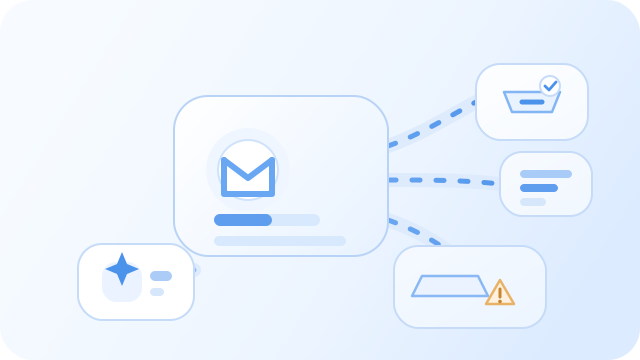
Inbox Placement Diagnostics: Prevent Spam Folder Routing
Make it clear where each email will land Industry experience has repeatedly emphasized that “delivery ≠ drop off”. This function integrates a whole set of methods into the product - unlimited seed tests can be done on Gmail, Outlook, Yahoo, iCloud and other mailboxes. The results are presented in four sections of industry experience and can be obtained in a few seconds. It is convenient to adjust the copywriting, throttling or sending pool before the real audience sees it. The AI agent will simultaneously improve customer data and intelligent writing suggestions.
Read More
Inbox Rotation Automation: Dynamic Sender Pool Management
Run sender pools like a managed asset system Inbox Rotation Automation helps teams treat mailboxes as managed assets with health states, usage rules, and cooldown logic. That makes it easier to scale outreach without overusing individual inboxes or hiding risk inside manual allocation.
Read More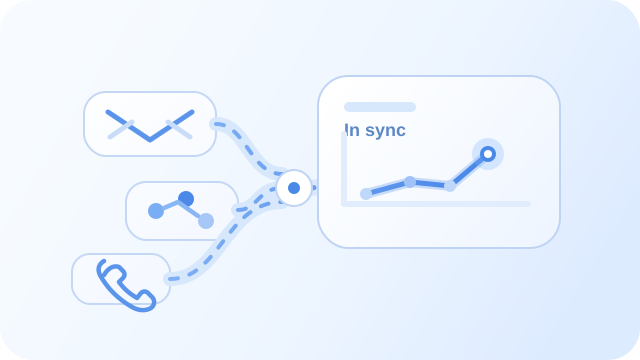
Omnichannel Orchestrator: Sync Email and Social Outreach
Omnichannel Orchestrator: Sync Email and Social Outreach Multi-channel outreach breaks down when every channel operates from a different record, a different sequence, or a different owner. Teams end up creating collisions instead of momentum because email, LinkedIn, calls, and SMS are not working from the same operating logic.
Read More
Automated Domain Reputation Ramp-Up
Automated Domain Reputation Ramp-Up Outbound infrastructure breaks down quickly when teams try to scale too fast from a cold start. New domains and inboxes need time to establish trust, but many teams still manage warmup with inconsistent rules and limited visibility.
Read More
Click-to-WhatsApp Campaigns: Turn Ad Clicks Into Qualified Chats
Click-to-WhatsApp Campaigns: Turn Ad Clicks Into Qualified Chats Some buyers would rather start a conversation than fill out a form. Click-to-WhatsApp campaigns make that possible, but the value comes from what happens after the click: qualification, routing, and follow-up need to be structured or the chat quickly becomes another unmanaged inbox.
Read More
Compare Campaign Delivery by Sender
Campaign Analytics can show delivery activity for the selected date range and, where available, can be segmented by sender or status. These metrics describe recorded campaign activity; they are not a cross-workspace reputation score and do not establish why a result changed.
Read More
Dedicated IP Email Sending: Confirm Availability and Setup
If you are considering a dedicated IP for email, first confirm that the option is available for your workspace and sending provider. The current Dureach setup guides document connecting sending accounts, reviewing account settings, and selecting senders in campaign Options; they do not describe a dedicated-IP management workflow.
Read MoreGlobal Blocklist Guardian
Global Blocklist Guardian Suppression mistakes and bad list hygiene can damage sender reputation faster than most teams expect. A missed unsubscribe, an unresolved complaint, or repeated sends to weak records can turn a healthy outbound program into a recovery project.
Read MoreHyper-Personalized Email Campaigns: Drive Revenue at Scale
Customized email campaigns Drive performance with hyper-personalized emails Let your email campaigns reach the right audience at the right time with always-fresh, reliable B2B data attributes and AI agents enrich customer data, analyze personas and signals, craft personalized copy, and reply instantly. The average open rate is +25%, the response rate is +18%, and the number of meeting reservations is +32%.
Read More
LinkedIn Outreach Sequencer: Safe Social Prospecting at Scale
LinkedIn Outreach Sequencer: Safe Social Prospecting at Scale LinkedIn outreach can help warm an account before a meeting ask, but it becomes fragile when reps manage it manually or treat it as disconnected from the rest of the outbound workflow. Without sequencing and pacing, social prospecting quickly turns into inconsistent effort and unnecessary profile risk.
Read More
Multi-Inbox Load Balancer: Scalable High-Volume Outreach
Distribute volume without overloading a single sender Multi-Inbox Load Balancer helps teams spread outbound traffic across many domains and mailboxes while keeping central control over capacity, health, and routing. It is the operational layer that turns a mailbox network into usable delivery infrastructure.
Read More
Review Email Domain Authentication Before a Campaign
Authentication is one of the checks to review when preparing a sending mailbox. DNS records and provider setup may be handled outside Dureach, so coordinate changes with the administrator responsible for the domain and confirm the resulting status before assigning the mailbox to a campaign.
Read MoreSet Warmup and Sending Limits for a Campaign
Mailbox warmup gradually introduces sending activity, but it does not guarantee inbox placement or establish that an audience is appropriate to contact. Review warmup, account limits, campaign limits, and provider warnings together.
Read More
Social Engagement Intelligence: Prioritize Buyers Across Feeds and DMs
Social Engagement Intelligence: Prioritize Buyers Across Feeds and DMs Social activity becomes much more valuable when teams can tell the difference between lightweight engagement and genuine buying interest. Without that distinction, comments, profile views, reactions, and DMs turn into noisy reporting instead of useful operating signals.
Read MoreSocial Marketing
Social Marketing Coordinate social outreach and engagement as part of the wider workflow.
Read MoreWhatsApp Conversation Router: Direct B2B Messaging With Human Handoff
WhatsApp Conversation Router: Direct B2B Messaging With Human Handoff WhatsApp can be one of the fastest-response channels in the stack, but it becomes hard to govern when chats live across disconnected devices or unmanaged shared inboxes. Teams need a way to keep response speed high without losing ownership, routing clarity, or coordination with the rest of the outreach workflow.
Read MoreWhatsApp Marketing
WhatsApp Marketing Use WhatsApp as part of a more structured system for direct outreach and follow-up.
Read More